Export Control
EAR Export Classification: Not subject to the EAR per 15 C.F.R. Chapter 1, Part 734.3(b)(3), except for the following Service Bulletins which are currently published as EAR Export Classification 9E991: SBE70-0992, SBE72-0483, SBE72-0580, SBE72-0588, SBE72-0640, SBE73-0209, SBE80-0024 and SBE80-0025.Copyright
© IAE International Aero Engines AG (2001, 2014 - 2021) The information contained in this document is the property of © IAE International Aero Engines AG and may not be copied or used for any purpose other than that for which it is supplied without the express written authority of © IAE International Aero Engines AG. (This does not preclude use by engine and aircraft operators for normal instructional, maintenance or overhaul purposes.).Applicability
All
Common Information
TASK 72-32-80-300-001 LPC Cases - LPC Assembly - Repair The Surface Damage, Repair-001 (VRS1997)
Material of component
PART IDENT | SYMBOL | MATERIAL |
|---|---|---|
LPC Rotor assembly | Aluminum alloy - LPC front case and LPC rear case |
General
Price and availability - none
The practices and processes referred to in this procedure by the TASK numbers are in the SPM.
NOTE
Preliminary Requirements
Pre-Conditions
NONESupport Equipment
| Name | Manufacturer | Part Number / Identification | Quantity | Remark |
|---|---|---|---|---|
| Fluorescent Penetrant Inspection Equipment | LOCAL | Fluorescent Penetrant Inspection Equipment | ||
| 10X Magnifying glass | LOCAL | 10X Magnifying glass |
Consumables, Materials and Expendables
NONESpares
NONESafety Requirements
NONEProcedure
Refer to the SPM TASK 70-11-03-300-503.
Clean the area to be repaired.
SUBTASK 72-32-80-110-053 Clean the Area to be Repaired in the LPC Assembly
Use portable grinding equipment, abrasive stones or papers and/or fine file.
Surface finish of the repair must be the same as the adjacent area.
Refer to the SPM TASK 70-35-03-300-501.
NOTE
If repair the bolt hole, blend the bolt hole one by one position. Do not blend the bolts at two positions or more at the same time.Make smooth and/or hand polish to remove the damage.
SUBTASK 72-32-80-350-071 Remove the Damage from the LPC Assembly
Visually examine the repaired area for corrosion, galls, nicks, pits dents and/or corrosion using 10X Magnifying glass.
Refer to TASK 72-32-80-200-000 (INSPECTION-000).
Visually examine the repaired area.
SUBTASK 72-32-00-220-157 Examine the LPC Assembly
Refer to the SPM TASK 70-23-05-230-501.
Make sure there are no cracks in the repaired area.
Fluorescent penetrant examine the repaired area.
SUBTASK 72-32-80-230-055 Examine the LPC Assembly for Cracks
Refer to the SPM TASK 70-38-02-300-503.
Apply the chromate conversion coating for aluminum with a brush to the repaired area.
Flush the area with clean, cold water.
Dry the area with dry air blast.
SUBTASK 72-32-80-380-001 Apply Surface Protection to the LPC Assembly
Figure: LPC Front Case - Blend Limits At Module
LPC Front Case - Blend Limits At Module
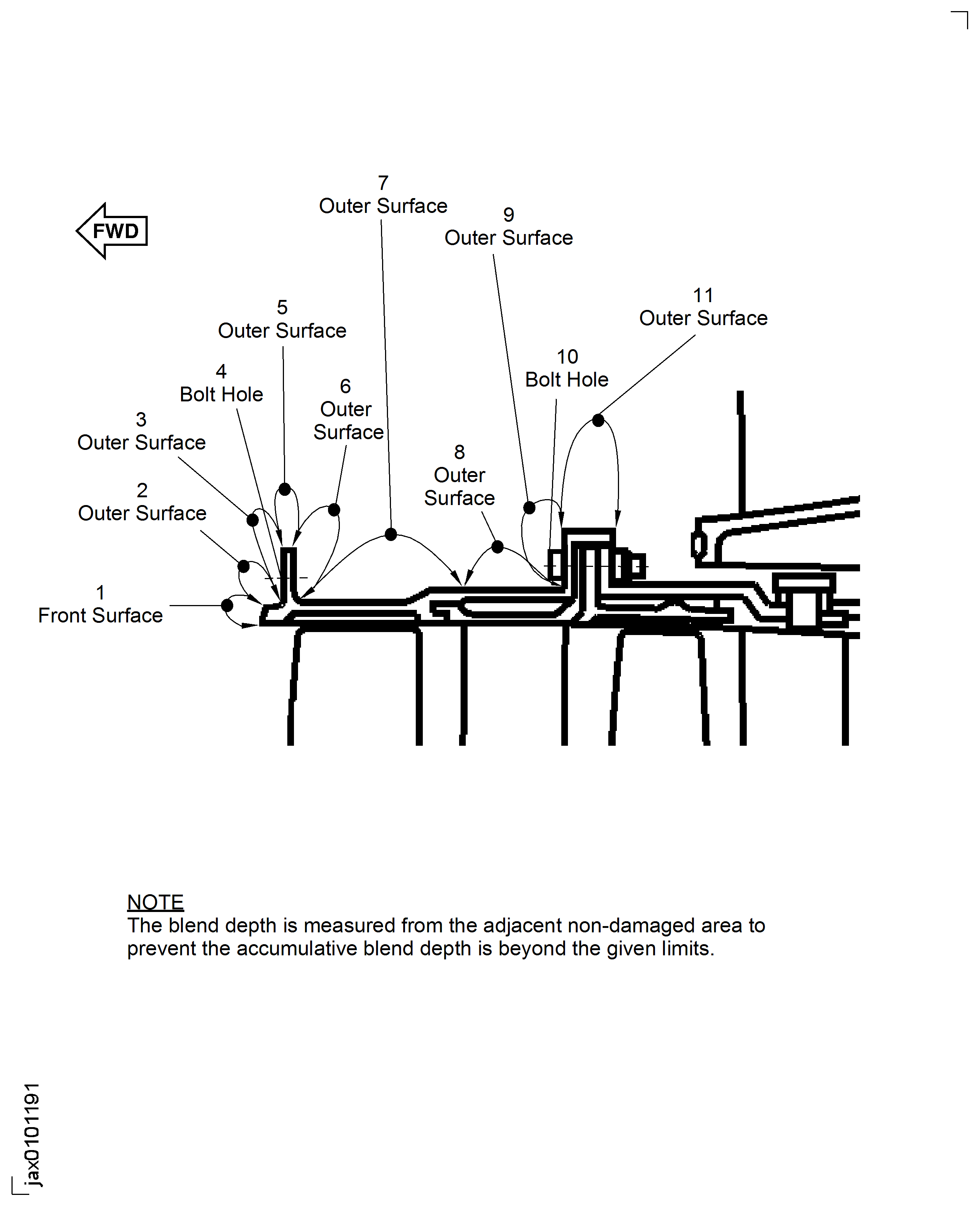
Figure: LPC Front Case - Blend Limits At Module
LPC Front Case - Blend Limits At Module
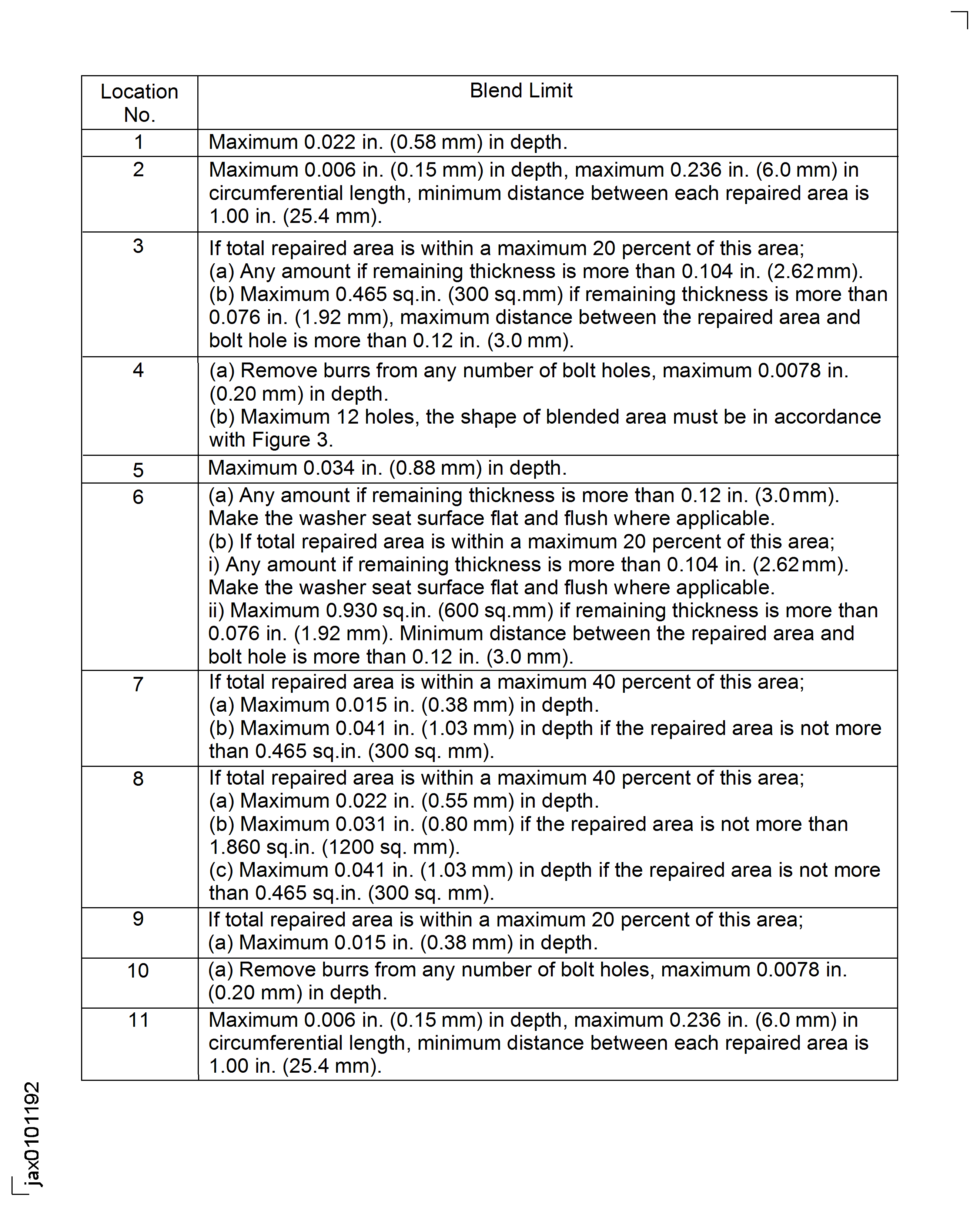
Figure: Blend Limits For Bolt Hole At Front Flange
Blend Limits For Bolt Hole At Front Flange
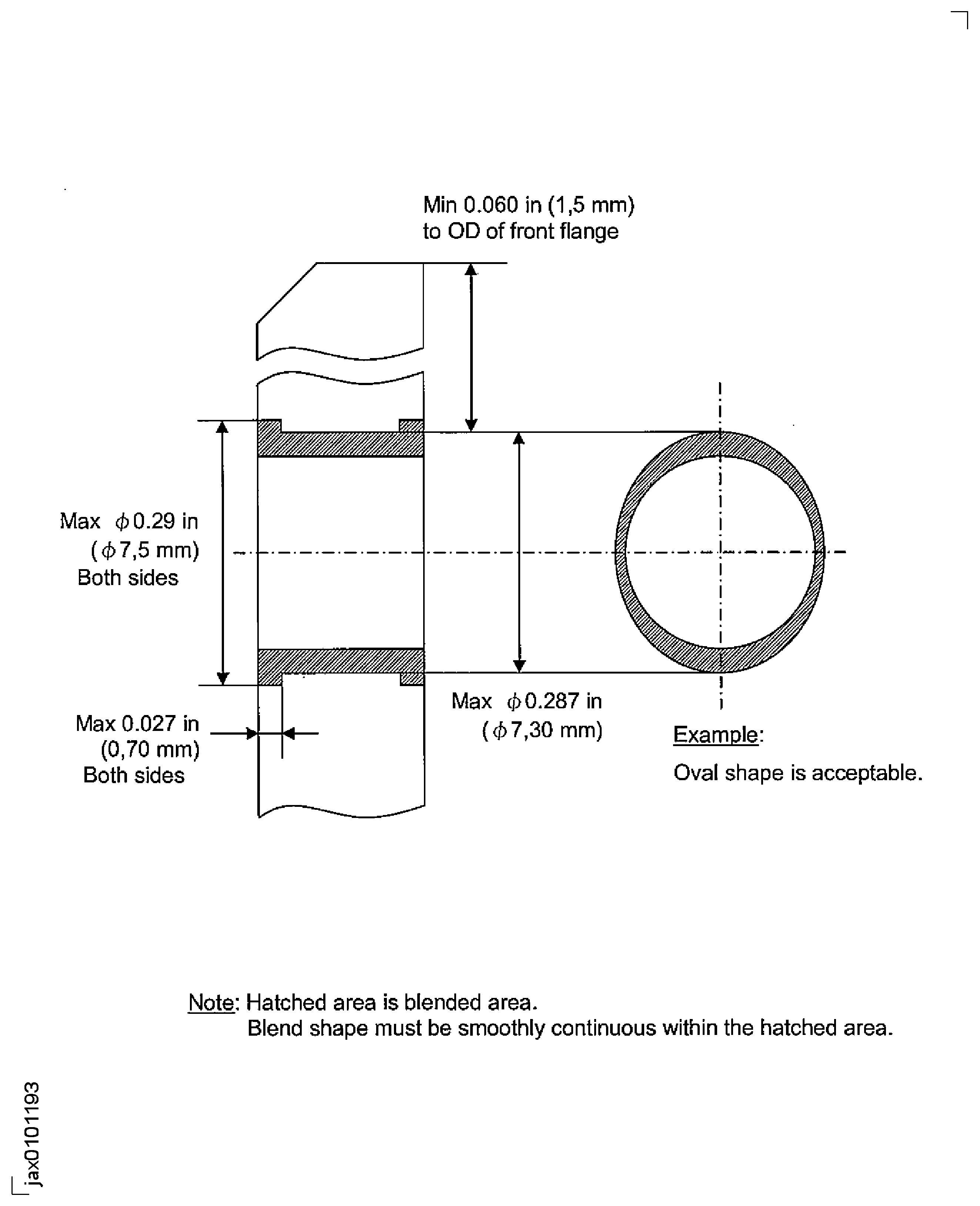
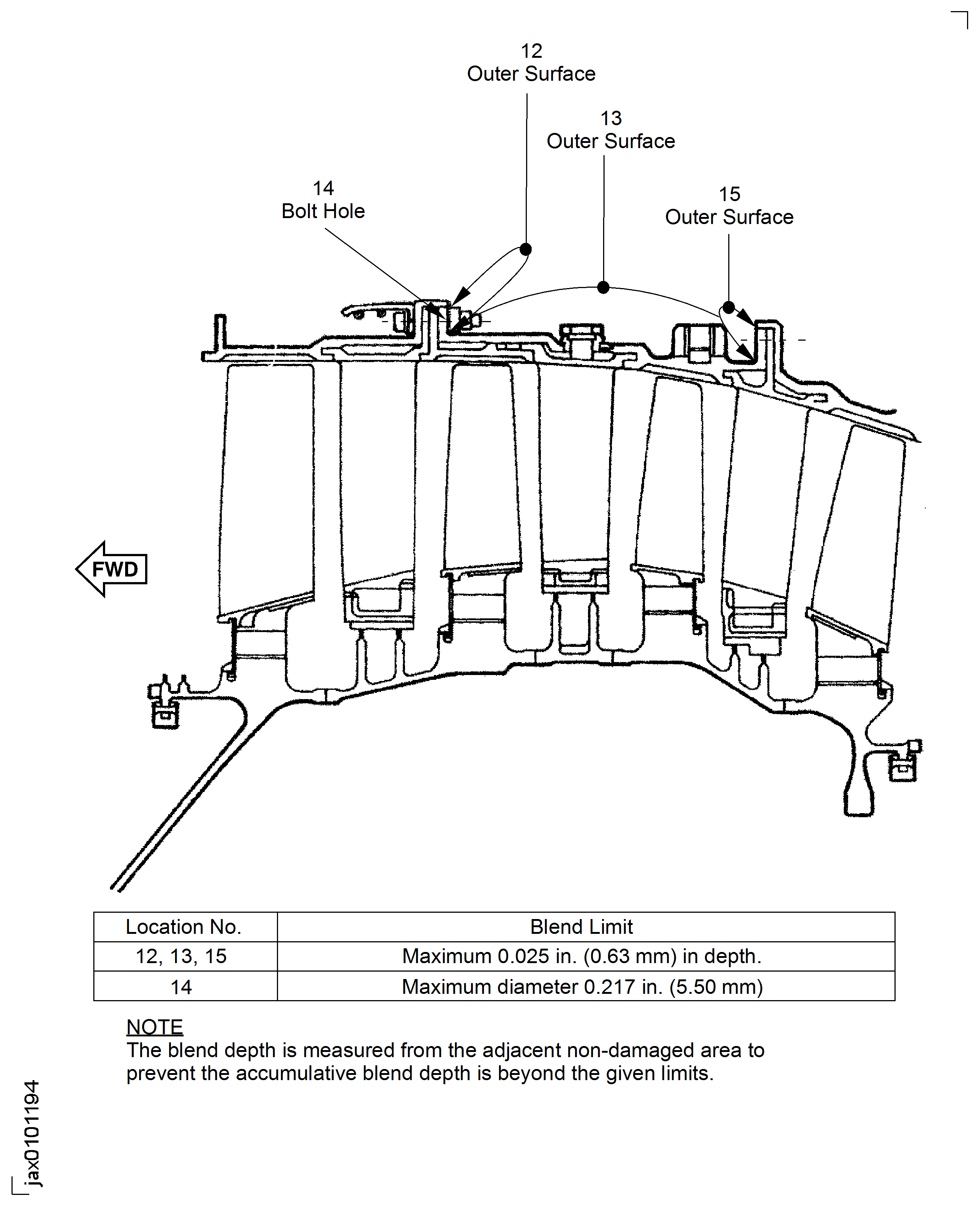
Figure: LPC Rear Case - Blend Limits At Module
LPC Rear Case - Blend Limits At Module